What to Look for in a Survey Tool: A Practical Buyer's Guide

Samee
The survey tool market is crowded and most platforms overlap on 80% of features. This guide covers what actually matters when evaluating survey software for B2C, DTC and SaaS marketing & UX teams.
The survey tool market is crowded. A quick search returns dozens of platforms, each claiming to be the most intuitive, most powerful, most affordable option for your team. The reality is that most of these tools overlap on about 80% of features. What separates a good fit from a bad one usually comes down to a handful of specifics that only matter once you are actually building and distributing surveys at scale.
This guide is for marketing managers and research leads evaluating survey software for B2C, DTC or SaaS teams. It covers the capabilities worth testing, the features that are more marketing than substance, and the questions you should ask vendors before you commit any budget.
Key Takeaway
— The best survey tool for your team is not the one with the longest feature list. It is the one that fits your question types, distribution channels, branding needs and analysis workflow without forcing workarounds.
Question type flexibility
Every tool offers multiple choice and free text. That is table stakes. The differentiator is how well the platform handles the question types your team actually uses. If you run NPS programmes, you need a dedicated NPS question type with automatic score bucketing into promoter, passive and detractor segments. If you do concept testing or ad testing, you need image-based questions with side-by-side comparisons and rating scales. If you collect demographic data regularly, you want pre-built question templates that handle age ranges, income brackets and location fields without manual configuration every time.
Before you evaluate anything else, list the five to ten question types your team uses most frequently. Then check whether each tool supports them natively. If a tool forces you to hack a basic question type to simulate what you need, that friction will compound with every survey you build.
Pay attention to how the tool handles question validation, too. Can you require answers? Can you set minimum and maximum character counts on open-text fields? Can you restrict numeric inputs to valid ranges? These details save data cleaning time later.
Logic and branching
Skip logic, display logic, answer piping and question randomisation are not optional for serious research. A good tool lets you build conditional paths without writing code or filing a support ticket. A better tool shows you the logic visually, as a flowchart or path diagram, so you can spot errors before you launch. For a full explainer, see our skip logic glossary entry.
Test this rigorously during your free trial. Build a survey with three or four branching paths and observe how easy it is to set up, preview, test and debug. If the interface fights you on a simple branching scenario, it will be genuinely painful when your research requires something more complex. Also check whether the tool lets you test each logic path individually or forces you to click through the entire survey manually.
A related feature worth checking: can you pipe answers from earlier questions into later ones? For example, if a respondent selects "Product A" in question 2, can question 5 automatically read "How satisfied are you with Product A?" Answer piping makes surveys feel personal without requiring multiple survey versions.
Branding and customisation
If you work at a company that cares about brand consistency (and if you are reading a buyer's guide about survey tools, you almost certainly do), then survey customisation is non-negotiable. Look for tools that let you set brand defaults at the account level: logo, colour palette, fonts, custom survey URL, button styles, progress bar colour and thank-you page redirect.
Account-level defaults save real time. Without them, every new survey starts from a blank template, and someone on your team will inevitably send an off-brand survey because they were in a hurry and forgot to upload the logo.
Some tools charge extra for white-labelling or custom domains. Others include it on mid-tier plans. Factor this into your total cost comparison, not just the headline subscription price.
Distribution channels
How you send surveys matters as much as how you build them. At minimum, you want email embedding (where the first question is visible in the email body), a shareable link, website embedding via JavaScript widget, and in-app distribution for product teams. Some platforms also support SMS, QR codes and social media sharing. The question is whether your tool handles survey distribution natively across these channels or forces you to manually copy links into third-party systems.
If you are running always-on feedback programmes (post-purchase triggers, in-app NPS, website intercept surveys), check whether the tool supports event-based triggering. Can you fire a survey when a user completes a purchase, cancels a subscription, or visits a specific page? Tools that support trigger-based distribution eliminate the manual send-and-wait cycle.
Also check the tool's email deliverability. If the platform sends invitations from its own domain rather than yours, your emails are more likely to land in spam folders, especially in corporate environments with aggressive email filtering.
Analytics and reporting
Collecting responses is the straightforward part. Making sense of them is where survey tools diverge sharply. Basic platforms give you bar charts and CSV exports. Better ones offer real-time dashboards, cross-tabulation (filtering results by segment, question or time period), trend tracking across survey waves, and automated text analysis for open-ended responses.
A growing number of tools now use AI to identify themes in qualitative data, cluster similar responses, and flag outliers. This is genuinely useful when you are processing hundreds or thousands of open-text answers. It is less useful for a 50-person beta test where you can read every response yourself.
The practical question to ask is this: can you get from raw data to a shareable insight without exporting to a spreadsheet? If the answer is no, you will spend more time on reporting than on research. If the tool has built-in dashboards, check whether they are actually customisable or just pre-set templates you cannot modify. Do they have access to data science tools like TURF/Reach, Correlation Analysis etc?
Look for export options too. Can you export to CSV, Excel, SPSS or PDF? If your data team uses R or Python, can you pull data via API? These details matter more than they seem during a demo.
Integrations
This is where honest self-assessment matters. Many survey tools advertise 50 or more integrations on their pricing page, but the ones that actually affect daily workflows for most marketing teams are CRM connections (HubSpot, Salesforce), email marketing platforms (Klaviyo, Mailchimp), analytics tools (GA4, Mixpanel), and team communication (Slack, Microsoft Teams for survey completion notifications).
If your team does not currently rely on integrations, do not pay a premium for them. If you do, test the specific integration you need during your trial period. "Integrates with Salesforce" can mean anything from a native bi-directional sync with custom field mapping to a basic Zapier connector that breaks the moment you use a non-standard field type. Ask for a demo of the exact integration, not just a screenshot.
Panel access
If you need to survey people who are not in your existing customer database, you need access to a consumer panel. Some survey platforms offer built-in panels with demographic targeting (age, gender, location, income, interests), which eliminates the cost and complexity of sourcing respondents through a separate panel provider.
When evaluating panels, ask about sample quality, panel size in your target geography, typical response time, and how responses are screened for fraud and satisficing behaviour. Cheap panel responses filled with bots and speeders are worse than having no responses at all, because they pollute your data without being obviously wrong.
Also ask how panel costs are structured. Per-complete pricing (you pay per finished response) is standard, but rates vary widely depending on targeting criteria. A general population sample in the US might cost 2 to 5 pounds per complete. A niche B2B audience could cost 30 or more.
Pricing: what to actually compare
Survey tool pricing is famously opaque. Some platforms charge per response, some per user seat, some per survey. A few charge separately for features that others include free of charge (logic, branding, data exports, API access).
The most useful comparison method is total annual cost for your expected usage. Map out the numbers that matter: how many surveys will you run per quarter, how many responses do you expect per survey, how many team members need access, and which features are required versus nice-to-have. Then request quotes from your shortlisted vendors based on that usage scenario.
Watch out for per-seat pricing that looks cheap in isolation. If four people on your team need access, a 50-pound-per-seat plan costs 2,400 a year before you even count response volume. A flat-rate plan with unlimited seats might be cheaper at that scale.
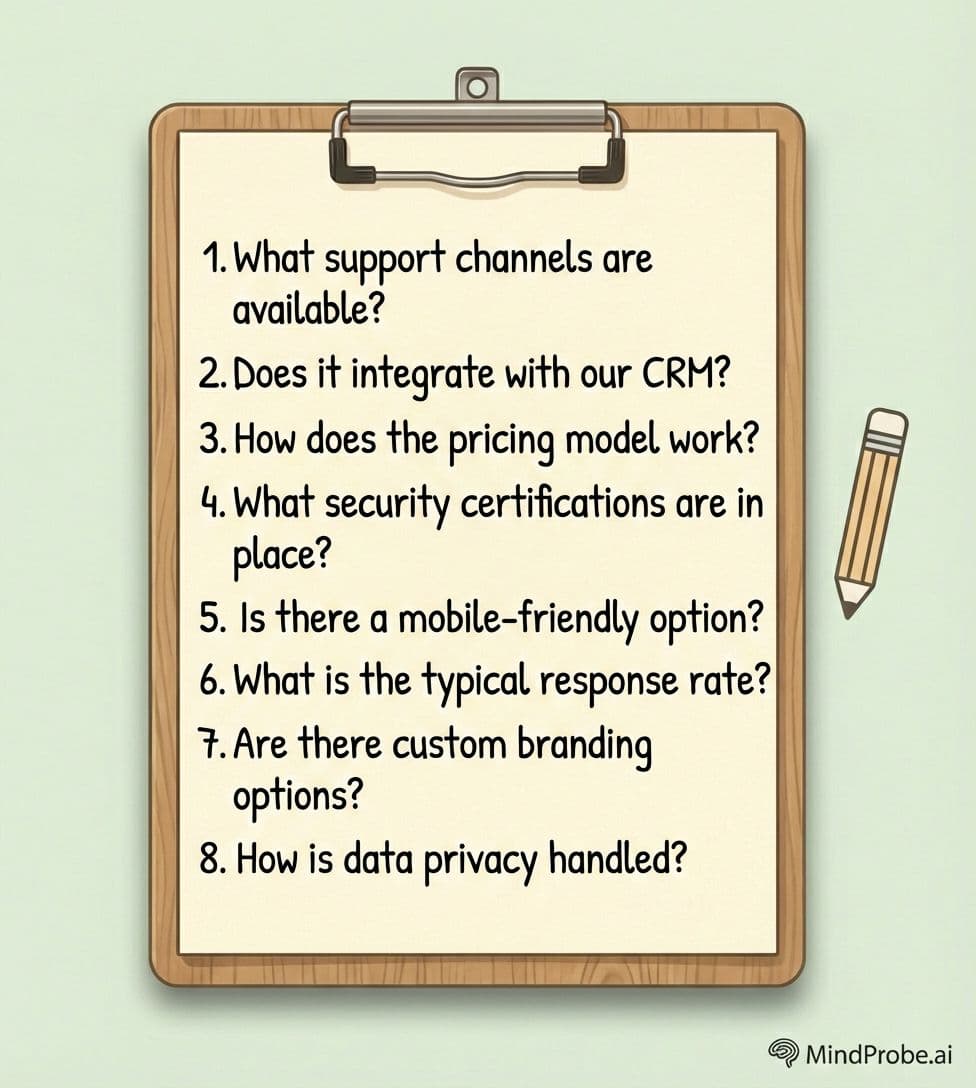
Questions to ask vendors before you sign
The answers to these questions will reveal more about a platform than any feature comparison spreadsheet.
• Can I set brand defaults at the account level, or do I have to brand each survey individually?
• What happens when I hit my response limit mid-month? Do responses stop collecting, or do I get charged overage fees?
• Can I export raw data in CSV or SPSS format without upgrading to a higher plan?
• How does your AI analysis work? Is it a general-purpose LLM wrapper, or a model trained specifically for survey data?
• What is your uptime SLA, and do you publish a public status page?
• Can I run A/B tests on survey design or question wording within the platform?
• What support is included? Is there live chat, or only email with a 48-hour response time?
• Can I set up role-based permissions so team members can build surveys but only admins can delete data?
Try our free Software Evaluations Template.
Where MindProbe fits
MindProbe is built for marketing and research teams at B2C, DTC and SaaS companies. It covers survey creation with a full range of question types, distribution across email, web, in-app and mobile channels, AI-powered analysis for both quantitative and qualitative data, and built-in consumer panel access for reaching audiences outside your database. Branding is handled at the account level with custom domains, logos, colours and fonts. For a broader overview, read The Complete Guide to Online Surveys.
For practical design standards your tool should support, see Online Survey Best Practices: 12 Things That Separate Good Surveys From Bad Ones.
The bottom line
Do not buy the tool with the most features. Buy the one that fits the way your team actually works. A survey platform that is fast to set up, easy to brand, solid on analysis and responsive on support will outperform an enterprise-grade tool that takes three months to configure and requires a dedicated admin to maintain.
Run a real survey during your free trial. Not a test with dummy data and fake respondents, but an actual piece of research with a real audience. That exercise will tell you more about the platform than any sales demo or feature comparison ever will.
References:
• Couper (2008) - Designing Effective Web Surveys
See how MindProbe fits your workflow
Frequently asked questions
What is the most important feature in a survey tool?
It depends on your use case. For most marketing and research teams, the three features that affect daily work most are question type flexibility, branding controls and analysis quality. Integrations matter if your workflow depends on them, but they are secondary for many teams.
How much should a survey tool cost?
Plans range from free (with strict limits on responses and features) to several hundred pounds per month for enterprise-grade platforms. Compare total annual cost for your expected usage volume and team size, not headline per-month pricing.
Do I need a survey tool with built-in integrations?
Only if your workflow requires them. If you need survey data flowing into your CRM or marketing platform automatically, native integrations save significant time. If you primarily need reports and exports, integrations are a nice-to-have rather than a requirement.
What is the difference between a survey tool and a survey platform?
In practice, the terms are used interchangeably by most vendors. Some use "platform" to signal a broader product that includes panel access, analysis and distribution alongside survey building.
Should I choose a specialist survey tool or an all-in-one marketing platform?
Specialist tools tend to offer better survey design, logic and analysis capabilities. All-in-one platforms offer convenience if you already use them for email or CRM. For serious research, a dedicated survey tool usually produces better results.